Customized Service Hub CRM In Mumbai
Manage service cases, enforce SLAs, route escalations, and track resolution metrics — a customer service platform configured for your support workflows and team structure.
Structured Case Management with SLA Accountability
Customer service operations suffer when requests are tracked through emails, phone logs, and disconnected spreadsheets. Service agents lack visibility into case history, SLA deadlines pass without alerts, and managers cannot identify recurring issues or bottlenecks until customer complaints escalate.
T3 Service Hub CRM provides a structured platform for case intake, assignment, escalation, resolution tracking, and service analytics. Every case follows defined workflows with SLA enforcement, and every interaction is logged — giving service managers the visibility they need to maintain service quality.
Common Service Challenges T3 Service Hub Addresses
Disorganised service operations erode customer trust, increase resolution times, and make recurring problems invisible.
Unstructured Case Intake
Service requests arriving through email, phone, and walk-ins without a centralised system result in missed cases, duplicate entries, and unclear ownership.
SLA Breaches Without Alerts
When SLA timelines are tracked manually or not tracked at all, deadline breaches go unnoticed until customers escalate — damaging relationships and contractual compliance.
Unclear Escalation Paths
Without defined escalation rules, unresolved cases sit with agents too long. Managers only learn about critical issues when customers complain a second or third time.
Uneven Agent Workload
Manual case assignment leads to some agents being overloaded while others have capacity. Without workload visibility, balanced assignment is impossible.
No Knowledge Base Access
Service agents without access to documented solutions spend time re-investigating issues that have been resolved before, increasing average resolution time.
Invisible Service Trends
Without analytics, managers cannot identify which products, regions, or issue types generate the most cases — limiting their ability to address root causes proactively.
Modules Configured for Your Service Operations
Each module addresses a specific service function and can be enabled or configured based on your support channels, SLA policies, and team structure.
Case Intake & Registration
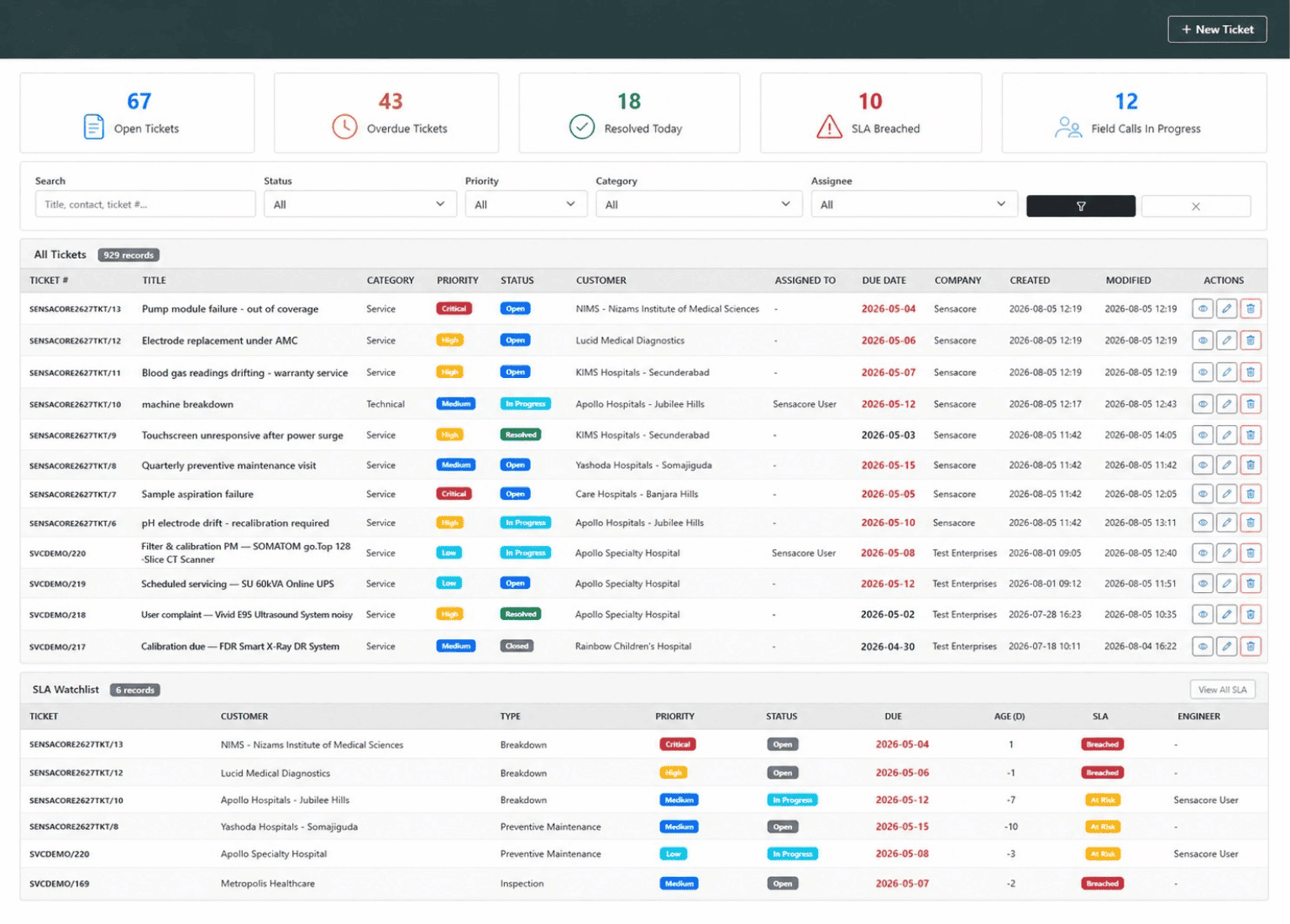
Register service cases from email, phone, web forms, or manual entry. Capture issue type, priority, customer details, and supporting documents at intake.
SLA Management
Define SLA policies by customer type, issue category, or priority level. Track response and resolution timelines with automated alerts before deadline breach.
Knowledge Base
Maintain a searchable library of documented solutions, standard procedures, and troubleshooting guides. Link knowledge articles to case categories for quick agent reference.
Escalation Workflows
Define escalation rules based on time thresholds, priority levels, or SLA breach conditions. Route escalated cases to designated supervisors or specialists.
Assignment Rules
Assign cases automatically based on issue type, skill match, workload balance, or round-robin logic. Manual reassignment is available with audit trail.
Resolution Tracking
Track case status from open to resolved with timestamped updates, resolution notes, root cause tagging, and customer acknowledgement workflows.
Service Analytics
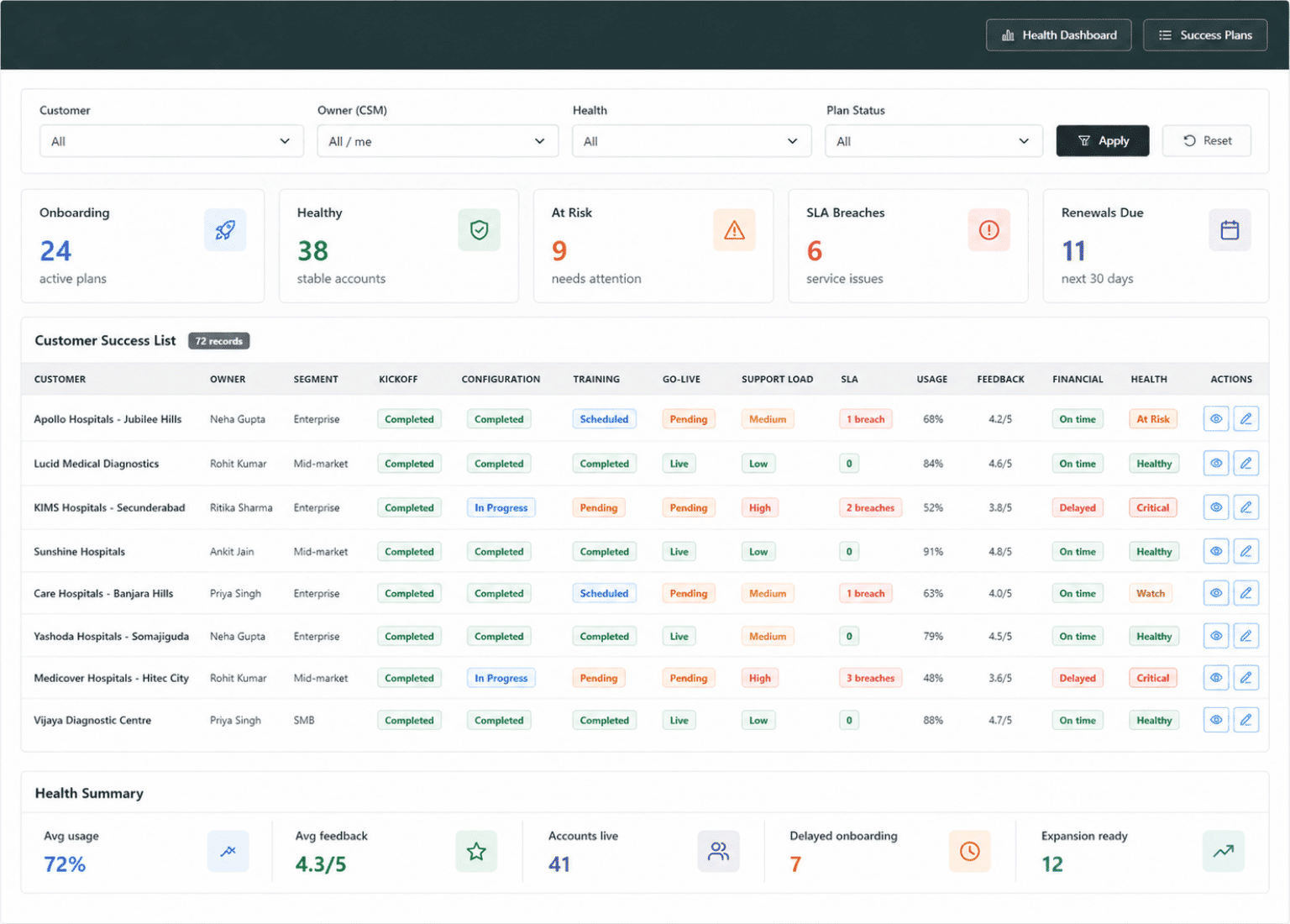
Dashboards and reports for case volumes, SLA compliance rates, resolution times, agent productivity, and recurring issue trends.
Customer Satisfaction
Collect satisfaction feedback after case resolution through configurable surveys. Track satisfaction scores by agent, issue type, and time period.
Communication Logs
Log every email, call, and message exchanged during case resolution. Full communication history is accessible from the case record.
What Sets T3 Service Hub CRM Apart
T3 Service Hub CRM is not a basic ticketing tool. It is a configurable service operations platform built for teams that need SLA accountability, structured escalation, and actionable service insights.
- Multi-channel case intake from email, phone, web forms, and walk-ins
- Configurable SLA policies by customer type, priority, and issue category
- Searchable knowledge base with article-to-case category linking
- Time-based and condition-based escalation rule configuration
- Automatic case assignment by skill, workload, or round-robin logic
- Resolution tracking with root cause tagging and closure workflows
- SLA countdown timers with proactive alerts before deadline breach
- Post-resolution customer satisfaction surveys with score tracking
- Agent productivity dashboards with case volume and resolution metrics
- Recurring issue trend analysis by product, region, and category
- Full communication audit trail per case record
- Role-based access for agents, supervisors, and service managers
Service Operations Workflow in T3 Service Hub
A step-by-step flow from case registration to resolution and satisfaction tracking.
Case Registration & Classification
Service requests are registered with issue type, priority, and customer details. The system classifies cases and applies the appropriate SLA policy automatically.
Assignment & SLA Activation
Cases are assigned to agents based on configured rules — skill match, workload balance, or team allocation. SLA timers start from the moment of assignment.
Investigation & Knowledge Base
Agents investigate the issue using logged information and search the knowledge base for documented solutions or related case precedents.
Resolution & Escalation
Agents work toward resolution within SLA timelines. If thresholds are approaching, the system escalates the case to supervisors or specialists automatically.
Closure & Documentation
Resolved cases are closed with resolution notes, root cause tags, and optional knowledge base article creation for future reference.
Feedback & Service Analytics
Post-resolution surveys collect customer satisfaction data. Analytics dashboards aggregate case metrics, SLA compliance, and trend patterns for management review.
Service Quality Metrics Across Every Support Channel
Dashboards designed for service managers to track SLA adherence, agent productivity, and recurring issue patterns in real time.
SLA Compliance Summary
Track response and resolution SLA adherence rates across customer tiers, issue categories, and time periods with breach trend analysis.
Case Volume by Category
Break down open, in-progress, and resolved cases by issue type, product, and region to identify where service demand concentrates.
Average Resolution Time Trend
Monitor how average case resolution duration changes over weeks and months, segmented by priority level and assigned team.
Agent Productivity Scorecard
Compare agents by case volume handled, average resolution time, SLA compliance rate, and customer satisfaction scores in a unified view.
Escalation Frequency Report
Identify which issue types, agents, or customer segments trigger the most escalations, indicating areas where training or process changes are needed.
Customer Satisfaction Trend
Plot post-resolution satisfaction scores over time by agent, team, and issue category to measure the impact of service improvements.
Benefits of T3 Service Hub CRM
SLA Compliance
Automated SLA timers and escalation alerts ensure response and resolution deadlines are met consistently across all service channels.
Faster Case Resolution
Knowledge base access, structured workflows, and skill-based routing reduce the time agents spend investigating and resolving each case.
Service Visibility
Dashboards provide real-time views of case volumes, SLA status, agent workload, and trending issue categories for proactive management.
Customer Satisfaction Tracking
Post-resolution surveys and satisfaction scoring provide measurable feedback for continuous service quality improvement.
Businesses That Benefit from T3 Service Hub CRM
T3 Service Hub CRM is designed for organisations where service quality, SLA compliance, and customer retention are operational priorities.
IT & Software Companies
Manage support tickets, enforce SLA commitments for different client tiers, and maintain a technical knowledge base for recurring issues.
Manufacturing & Equipment
Track warranty claims, schedule field service visits, manage spare parts requests, and log after-sales service interactions per equipment serial.
Financial Institutions
Handle customer complaints, track regulatory response timelines, and maintain compliance-ready audit trails for every service interaction.
Telecom & Utilities
Manage high-volume service requests, track field resolution, and enforce SLAs across different service categories and customer segments.
Healthcare Facilities
Track patient service requests, manage equipment maintenance cases, and maintain response time records for regulatory compliance.
E-commerce & Retail
Handle return requests, delivery complaints, and product queries with structured escalation paths and resolution tracking.
Configure Service Hub Around Your Support Processes
Define SLA policies, escalation tiers, case categories, and satisfaction surveys that reflect your specific service commitments and team structure.
- SLA policy definitions by customer tier, issue priority, and contract type
- Escalation rule configuration with time-based and condition-based triggers
- Case category and sub-category taxonomies per product or service line
- Assignment rules with skill-matching, workload balancing, and queue routing
- Knowledge base article templates with category linking and approval workflows
- Post-resolution survey question sets customizable per issue type
- Agent dashboard widgets showing personal queue, SLA timers, and alerts
- Manager views with team-level drill-down into individual case records
Connect Service Hub with Your Support Infrastructure
Link case management with communication channels, knowledge systems, and operational tools your support team uses daily.
Email-to-Case Conversion
Automatically create case records from incoming support emails with subject parsing, customer identification, and priority assignment.
Telephony Integration
Link inbound support calls with case records, auto-populating caller details and enabling agents to log call notes directly within the case.
Field Service Dispatch
Route cases requiring on-site visits to field service teams with location details, appointment scheduling, and resolution status sync-back.
How We Implement T3 Service Hub CRM
A structured approach from service process assessment to go-live and ongoing quality improvement.
Service Process Assessment
We study your current support channels, SLA commitments, escalation paths, team structure, and reporting requirements.
Configuration & Setup
Configure case categories, SLA policies, assignment rules, escalation workflows, and analytics dashboards based on assessment findings.
Data Migration & Testing
Migrate existing case data, knowledge base content, and customer records. Validate SLA configurations and conduct user acceptance testing.
Go-Live & Support
Deploy the system with onboarding support for service agents and supervisors, followed by ongoing maintenance and process optimisation.
Service Hub CRM — FAQ
Yes. You can define different SLA policies based on customer tier, issue priority, service category, or contract type. Each policy has independent response and resolution timelines.
Escalation rules trigger based on configurable conditions — time thresholds, SLA breach risk, priority level, or manual escalation by agents. Escalated cases route to designated supervisors.
Yes. The knowledge base module allows you to create, categorise, and search solution articles. Articles can be linked to case categories for quick agent access during case resolution.
Post-resolution surveys collect feedback that is linked to the case, the assigned agent, and the issue type. Satisfaction reports can be filtered by agent, team, or time period.
Cases can be registered from email, phone, web forms, and manual entry. Each channel is tracked for volume and resolution metrics independently.
Implementation typically takes 3 to 6 weeks depending on the number of SLA policies, escalation complexity, and data migration requirements. Agent onboarding is included.
Related Solutions
Related Industry Solutions
Configure Your Service Hub CRM
Every service operation has unique requirements. Talk to our team about configuring T3 Service Hub CRM around your SLA policies, escalation paths, and team structure.