

D2C E-commerce ERP Software in Mumbai

Manage online store operations faster with a customized D2C E-commerce ERP solution built for catalogue sync, stock availability, customer management, order sync, automatic stock reservation, warehouse fulfilment and real-time order visibility.

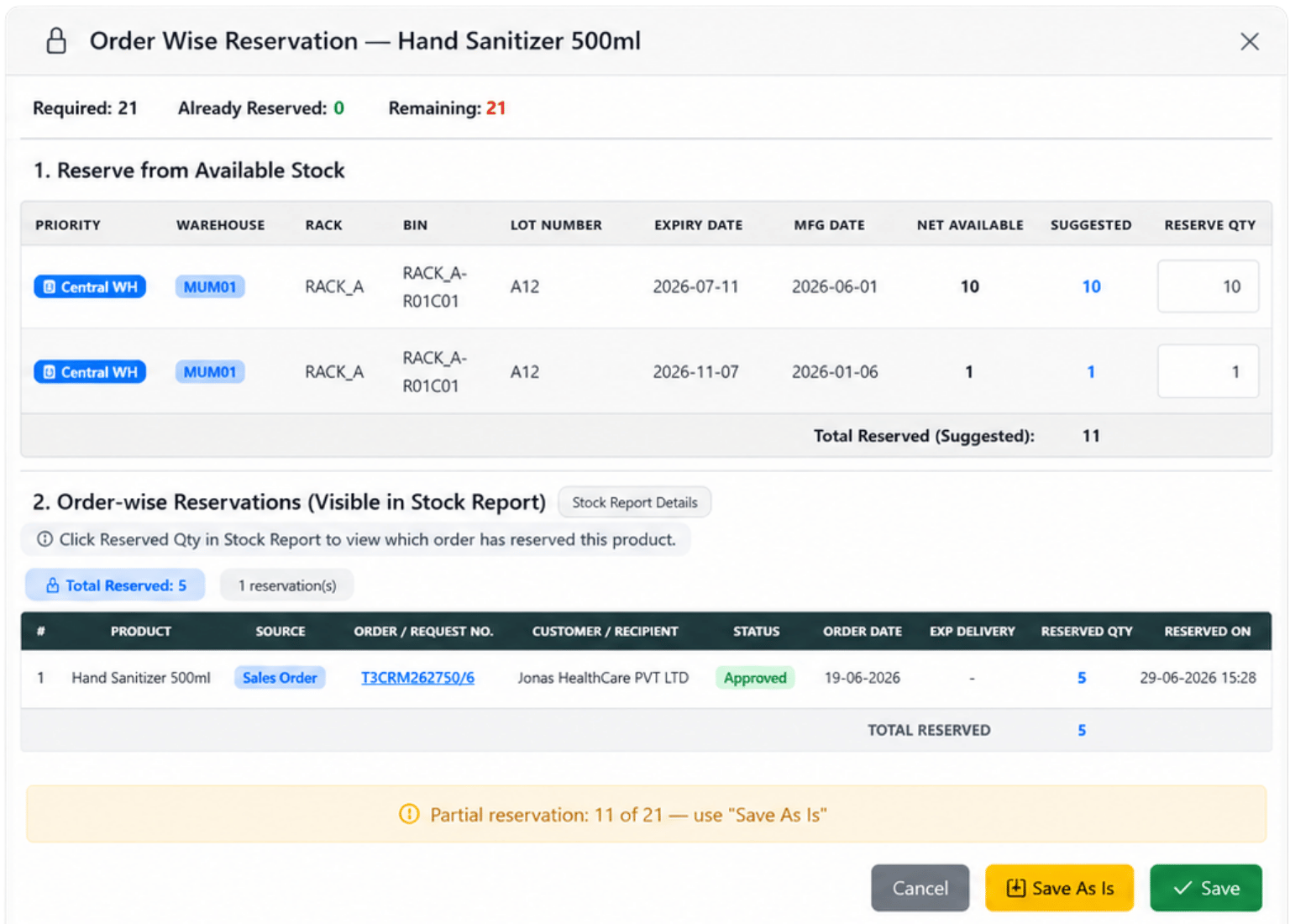
D2C ecommerce warehouse fulfilment ERP
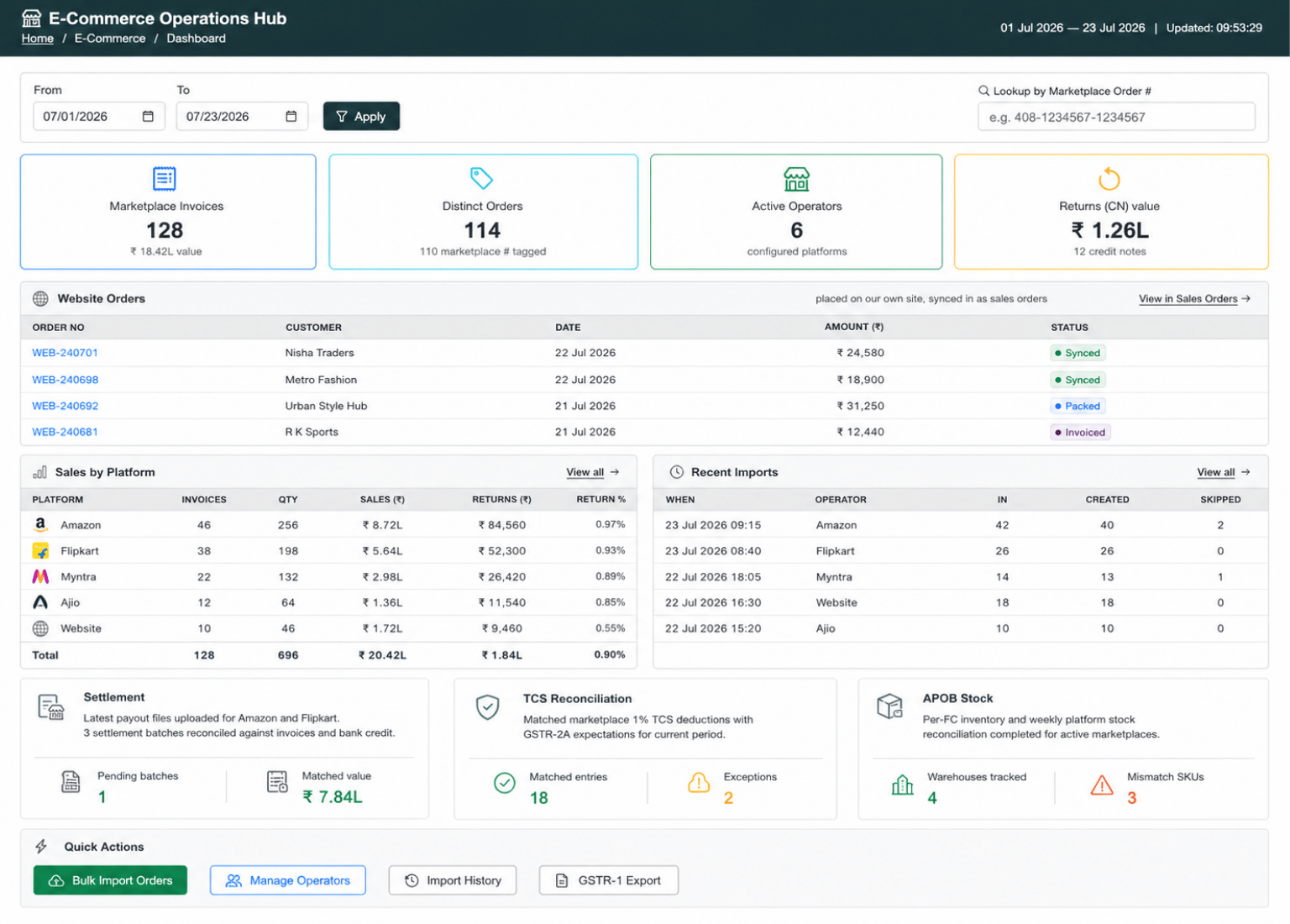
D2C ecommerce ERP order sync dashboard
Business Need

Why D2C Brands Need ERP-Connected Commerce

Most D2C teams do not struggle because the website cannot take orders. The real problem starts after the order is placed. Customer details, stock checking, ERP order creation, stock reservation and shopper updates often happen manually. When the storefront and ERP work separately, website stock becomes outdated, customer records become inconsistent and the same order is handled twice.

Manual Order Entry

Orders are copied from the store into ERP by hand, which slows fulfilment and creates address, SKU and quantity mistakes.

Website Stock Lag

The store may continue selling items that the warehouse has already shipped, reserved or committed elsewhere.

Catalogue Drift

Prices, attributes, HSN codes, GST rates or product details can differ between the storefront and ERP.

Customer Data Issues

Customer records may miss GST state code, proper phone number, usable address format or a stable customer reference.

Unclear Order Status

The shopper sees the order on the website, while the actual operational status sits inside the ERP.

From Storefront Order to ERP Fulfilment

The integration follows one clear operating flow. ERP publishes catalogue and stock availability to the store, the shopper places the order online, ERP collects customer and order details, reserves stock automatically and the team completes fulfilment inside ERP.

Connected Flow Catalogue Push → Order Sync → Stock Reservation → ERP Fulfilment

Product Master

SKUs, variants, attributes, price, HSN code, GST rate and unit of measure are maintained in ERP.

Catalogue & Stock Push

Product details and warehouse availability are sent from ERP to the storefront so the website stays aligned.

Store Checkout Data

The store captures shopper details, shipping address, order items and payment information.

Customer Sync First

New shoppers become ERP customers with GST state mapping, phone resolution and permanent customer reference.

GST Sales Order

Each store order becomes a real ERP sales order with ERP order number and store order reference.

Stock Reservation

ERP reserves available stock against the order automatically using warehouse priority and reservation rules.

ERP Fulfilment

Warehouse users pick against reserved stock and complete dispatch, GST invoice and collection inside ERP.

Status Feed

Order status is sent back to the store so shoppers can see progress without manual follow-up.

Catalogue, Customer and Sales Order Sync

Keep Store Orders and ERP Records Aligned

T3 ERP keeps catalogue, customer and order records connected between your online store and ERP. Catalogue and stock move from ERP to the store, while customers and orders come back into ERP through scheduled sync. This helps D2C teams avoid duplicate entry, wrong customer records and order mismatch.

Sync Controls

  • Two-Way Scheduled Sync Catalogue and stock go from ERP to the store, while customers and orders come from the store to ERP on a defined schedule.
  • Clean Customer Records Store checkout data is converted into ERP-grade customer records with GST state code mapping and phone resolution.
  • Real ERP Sales Orders Store orders become proper GST sales orders that ERP can reserve, fulfil, invoice and report on.
  • Line-Level Matching Order lines are matched to ERP products by SKU, product code or name, with unmatched lines reported clearly.
  • Both-Way References ERP keeps its own order number while retaining the store order reference for easier traceability.
  • ERP-Owned Data Protection Credit terms, ledgers, ownership and controlled ERP fields are protected from accidental store-side overwrite.
Catalogue customer and sales order sync in D2C ERP
Stock sync reservation and fulfilment control in D2C ERP
Stock Sync, Reservation and Fulfilment Control

Reserve Stock Automatically When Store Orders Reach ERP

D2C order management depends on one thing being right: the product must be available when the customer buys it. T3 ERP keeps stock availability visible to the store and reserves stock as soon as the ERP sales order is created, helping reduce overselling and fulfilment confusion.

Fulfilment Controls

  • Availability Sent to Store The store receives warehouse availability from ERP, reducing the risk of selling stock already committed elsewhere.
  • Automatic Reservation When a store order becomes an ERP sales order, stock is reserved against it immediately.
  • Warehouse Priority Reservation can check the customer warehouse first and then the central pool, depending on business configuration.
  • Oldest Suitable First Stock selection can follow oldest-suitable-first logic where applicable, helping reduce ageing stock problems.
Safe Integration, Reporting and Operating Boundaries

Run Store Integration With Control, Visibility and Safety

An e-commerce integration touches live customers, orders and stock. T3 ERP keeps the sync clear, restricted and recoverable, so D2C teams can test safely, review results and operate with proper control before and after go-live.

Company scoped ecommerce ERP integration access
Access Control

Company-Scoped Access

Every sync is authenticated and restricted to the correct tenant and company, so data remains protected at brand or entity level. This prevents one store, company or business unit from accessing another company’s customers, orders or stock records. It is useful for D2C brands managing multiple storefronts, warehouses or company entities.
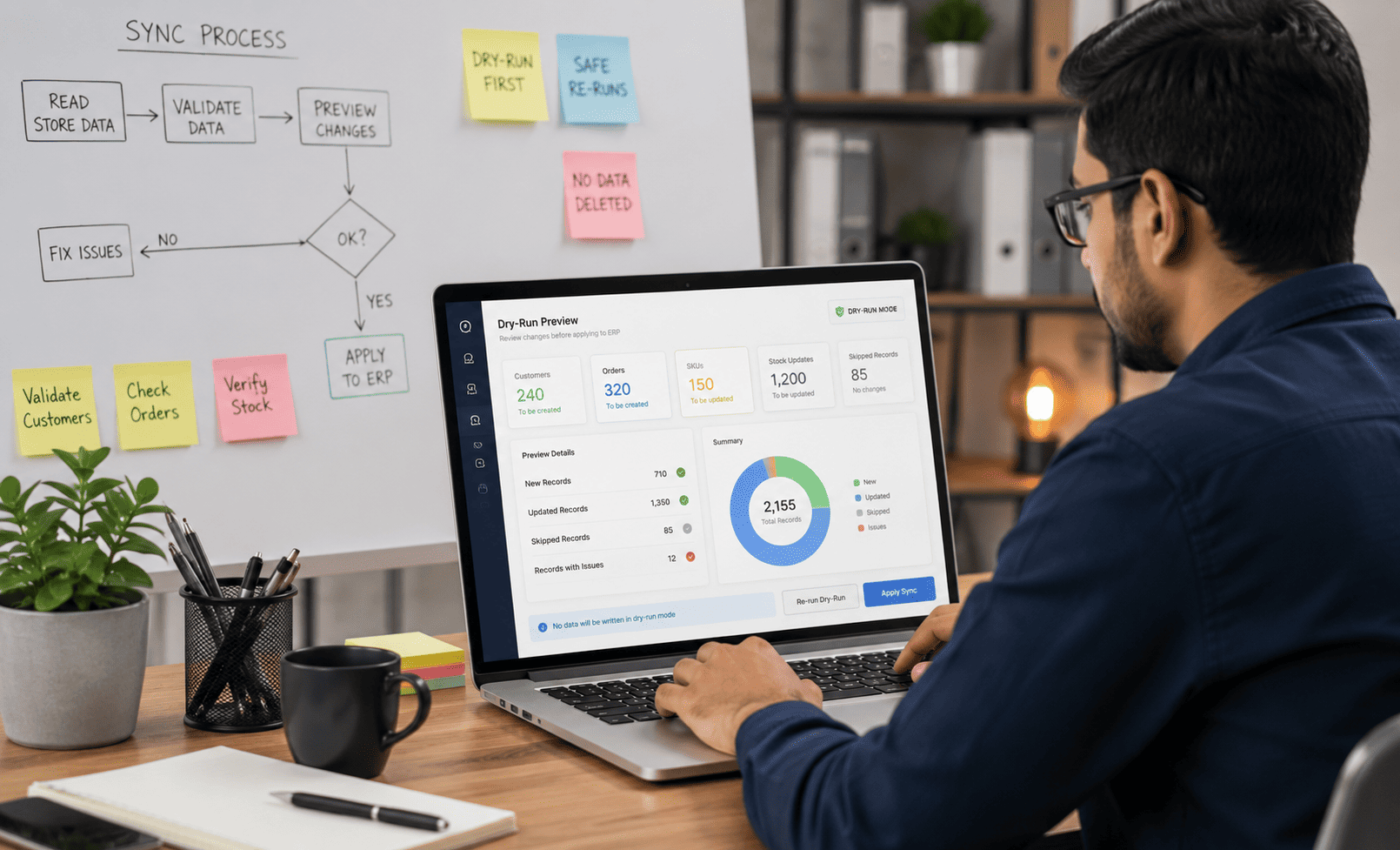

Dry run and safe ecommerce ERP re-run
Safe Testing

Dry-Run and Safe Re-Runs

Dry-run mode allows the team to read live store data and preview what the ERP will create, update or skip without writing anything into the system. This helps users validate customers, orders, SKUs and stock rules before going live. Re-running the sync is also safe because unchanged records are skipped and no existing data is deleted.

Approved fields update in D2C ERP integration
Field Control

Approved Field Updates

Only approved fields are updated during the sync, and updates happen only when a change is detected. ERP-controlled details such as ledgers, credit terms, customer ownership and internal business rules remain protected. This keeps store data connected without allowing the website to overwrite important back-office controls.

Clear run report and ecommerce order status feed
Run Visibility

Clear Run Report and Status Feed

Each sync provides a clear report showing customers created or updated, orders raised, stock reserved, skipped records and unmatched product lines. This helps the operations team quickly identify what went through successfully and what needs correction. ERP order status can also be sent back to the store so shoppers get better order progress visibility.

Frequently Asked Questions

D2C E-commerce ERP FAQs

Find answers about website integration, catalogue sync, stock reservation, customer sync, sales order creation and safe testing before go-live.

Do we need to change our website?

No. Your current store can continue as the storefront and checkout. The integration exchanges data with it on a schedule.

How often does it sync?

The sync can run on the schedule you set, from a few times a day to every few minutes, depending on the required operating rhythm.

Will it create duplicate customers?

No. Shoppers are matched using the store customer ID first, then email and mobile. Existing customers are updated instead of duplicated.

What if a product on the order is not in ERP?

That line is reported as unmatched with the failed SKU or product reference, so the team can correct it. The system does not create products silently.

What happens when stock is not enough?

ERP reserves what is available and reports the shortage on the order, so the team can decide the next action.

Is dispatch and invoicing automatic?

No. The order arrives in ERP with stock reserved. Your team then picks, dispatches, invoices and collects inside ERP under normal controls.

Can we test without touching live data?

Yes. Dry-run mode reads the store and shows what would be created or updated, without writing records.

Can it handle more than one store or company?

Yes. Each call is tenant-authenticated and company-scoped, so multiple brands or entities remain separate.

Start With T3 ERP

Ready to Connect Your Online Store With ERP?

Discuss your catalogue sync, order sync, stock reservation and fulfilment workflow with the T3 ERP team.

T3 Softwares
T3 Softwares Online
Hello 👋
How can I help you?