Product Master Setup
Create product code, category, UOM, HSN/GST, batch rule, serial rule, expiry rule and reorder level so every stock transaction follows the correct item setup.
Manage sales orders, purchase orders, stock inward and outward, warehouse locations, batch/serial tracking, barcode scanning, reorder planning, stock transfers, picking, packing, dispatch and inventory costing through one connected ERP built for inventory-driven businesses.

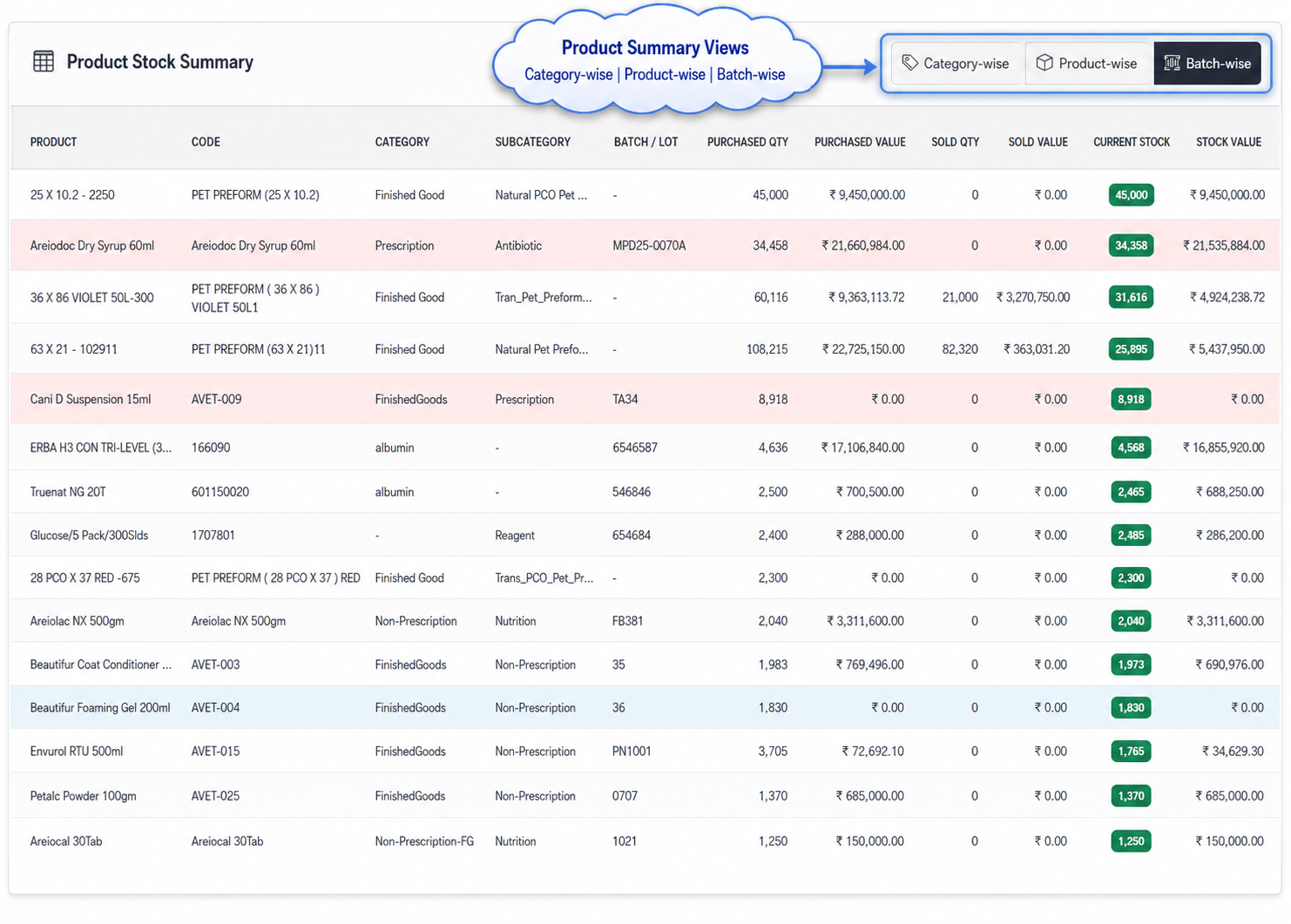
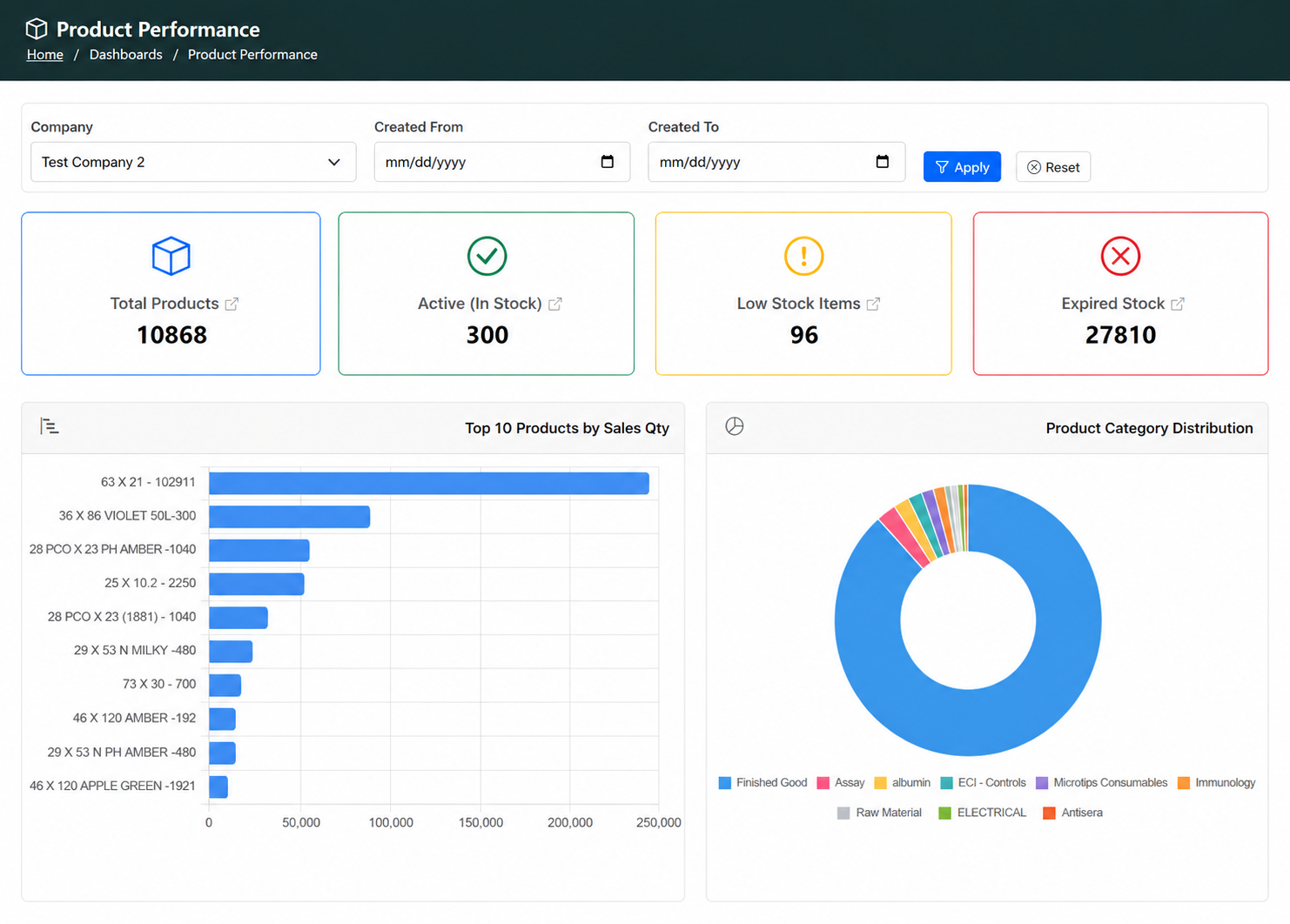
Many businesses can see total stock in reports, but they still struggle to know what is actually free to use. Some quantity may already be reserved, damaged, in transit, near expiry or blocked for quality. T3 Inventory Management ERP separates these stock positions clearly, helping sales, purchase and warehouse teams make better decisions before confirming orders, buying material or issuing stock.
Reports and store stock can differ when entries are delayed or updated manually. The ERP records inward, outward, transfer and adjustment entries with document reference, user and time.
Total stock is not always free stock. The system separates available, reserved, hold, damaged and in-transit stock before sales or dispatch commitment.
Purchase teams should not wait until stock is finished. Reorder levels, minimum stock and consumption reports show what needs to be purchased earlier.
Ageing and expiry-sensitive stock can become a loss if it is not noticed on time. The ERP highlights slow-moving, near-expiry and blocked stock early.
Manage Product Setup, Stock Movement and Availability in One Flow
Create product code, category, UOM, HSN/GST, batch rule, serial rule, expiry rule and reorder level so every stock transaction follows the correct item setup.
Receive purchase stock, opening stock or return inward with supplier, PO reference, batch, lot, serial number, expiry date and rate details.
Place stock into the right warehouse, store, rack, bin or logical location so users know exactly where material is stored before issue or dispatch.
View current, available, reserved, hold, damaged and in-transit stock separately before confirming any sales order, material issue or dispatch commitment.
Reserve stock against sales orders, service orders, production needs or internal requests so the same quantity is not used for another requirement.
Issue stock for sales dispatch, service, production consumption, returnable material or internal use while updating stock balance automatically.
Move stock between warehouses, branches, stores or service locations, and correct mismatch with proper reason, remarks and approval history.
Track inward, outward, balance quantity, stock value, user, date-time and document reference for audit, costing and inventory reporting.
For healthcare, pharma, food, chemicals, electronics, manufacturing and distribution businesses, traceability is important. T3 Inventory Management ERP shows which batch came in, where it is stored, where it moved and which customer, department or location received it.
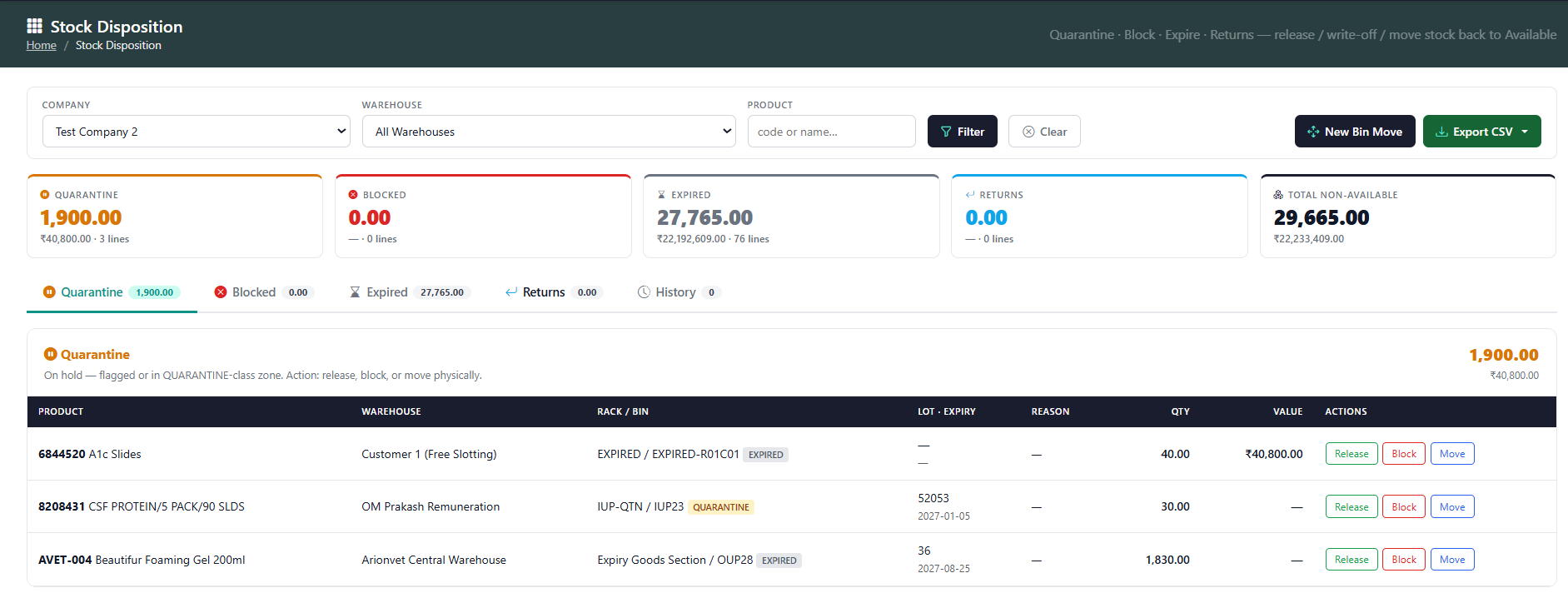
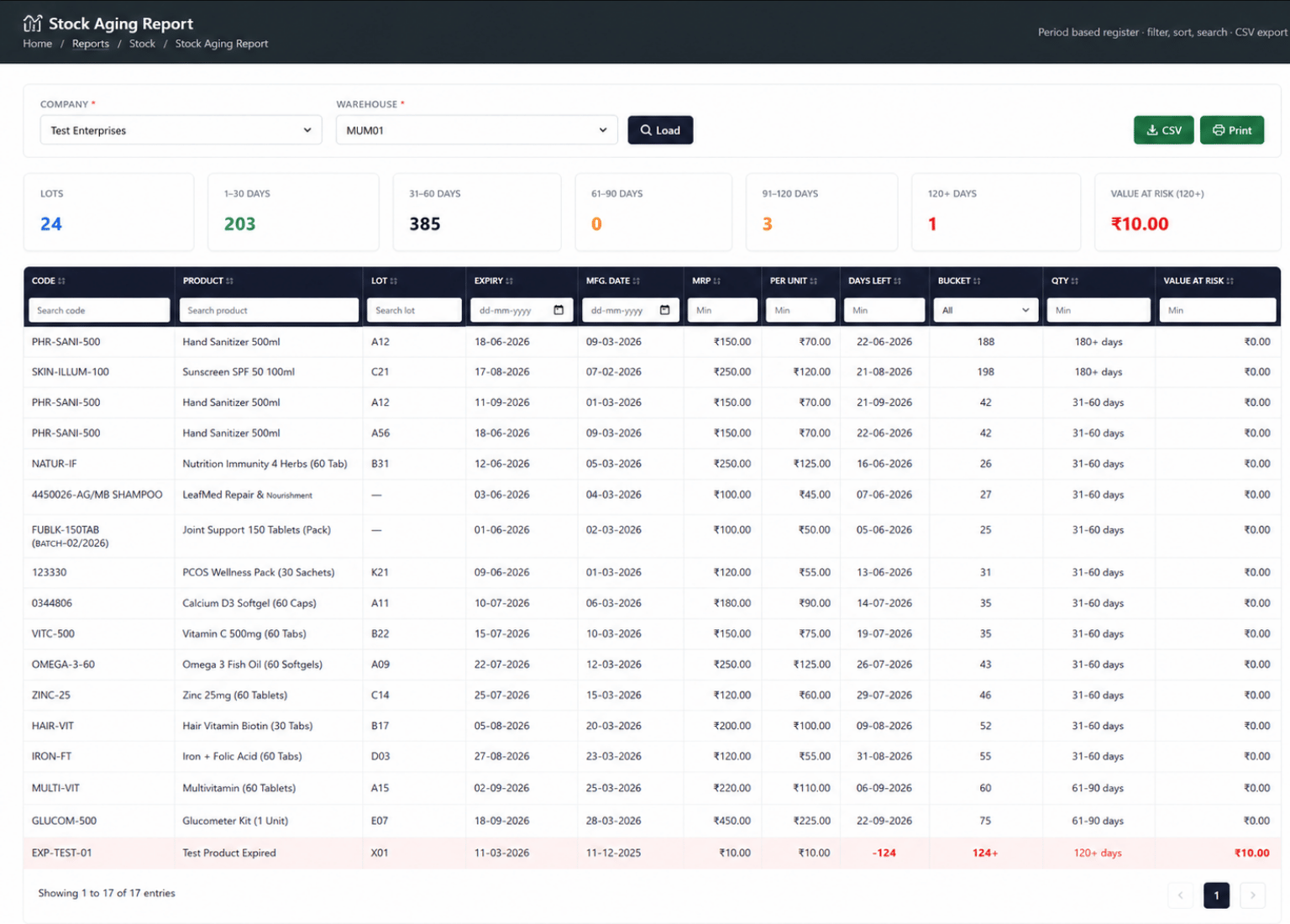
Good inventory control should warn the team before an issue becomes urgent. Low-stock alerts, reorder levels, cycle counting and approval-based adjustments help reduce shortages, excess inventory and hidden stock losses.
Get clear product, warehouse, movement, batch, reorder, expiry and ageing reports for inventory planning, control and audit review.
View current, reserved and available quantity for every product from one report.
Check stock position across central, branch, project, virtual and other warehouses.
Review complete inward, outward and balance history with user, date-time and document reference.
Track GRN, transfer, material out, adjustment and return history for a selected batch or lot.
Identify products below their minimum stock or reorder level before shortages occur.
Review near-expiry, expired, slow-moving, non-moving and ageing inventory.
Improve stock availability, purchase planning, traceability and inventory value control through one connected ERP system.
Sales teams can check real available stock before promising quantity and delivery dates to customers.
Reorder and low-stock alerts help purchase teams plan material before operations or deliveries are affected.
Ageing and expiry visibility helps teams move, return or review stock before it becomes unusable.
Adjustment reasons, approvals and audit history reduce random or unauthorised stock changes.
Stock value, ageing and slow-moving reports show where business funds are blocked in inventory.
Purchase, sales, warehouse, service, finance and management work from the same stock records.
Discuss your stock process, warehouse structure, batch tracking, approvals and reporting requirements with our ERP team.